

Import & Export
Export an investigation
From the investigation's information panel (side panel, nothing selected), open the ⋮ menu → Export. Several formats are available:
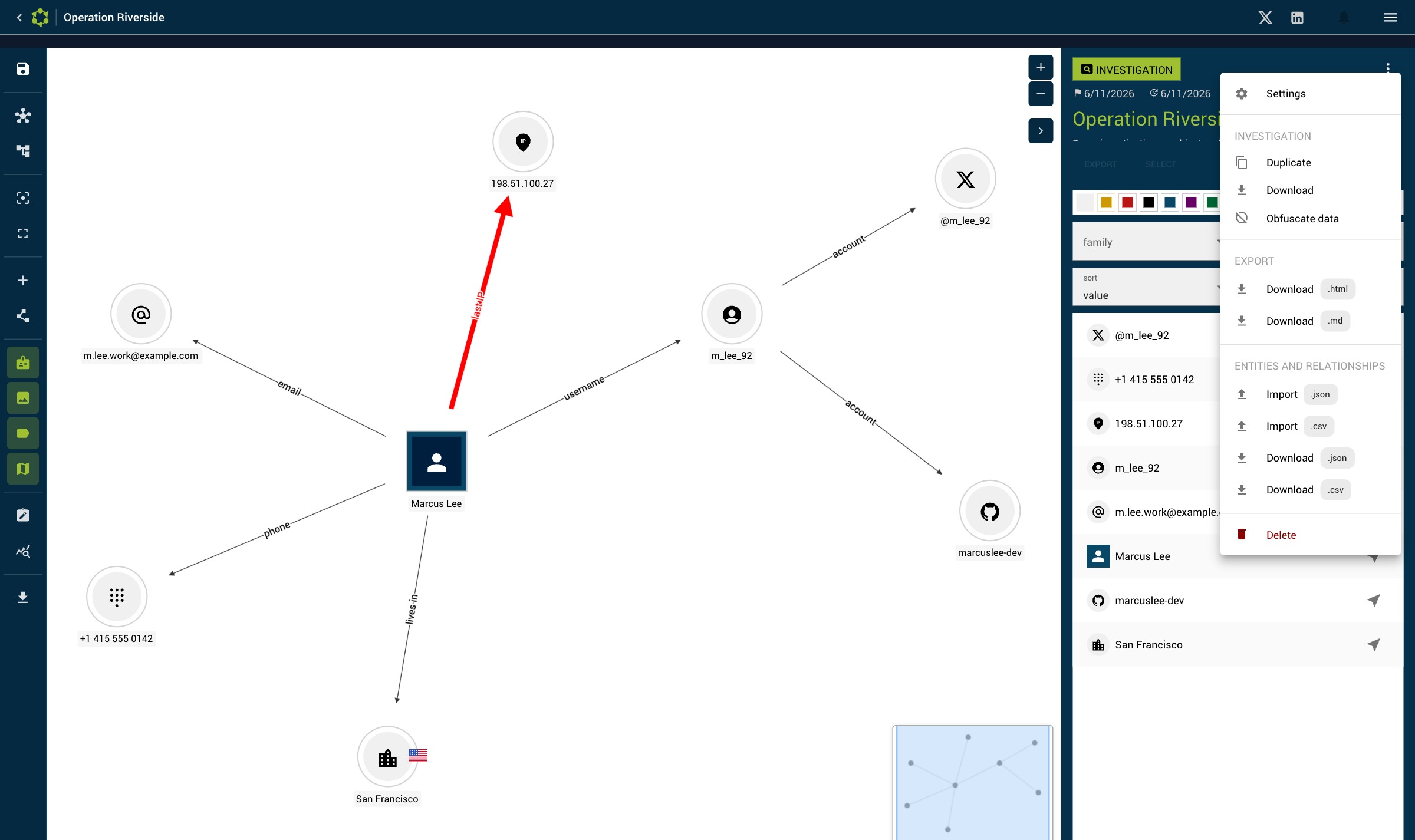
| Format | Content | Use |
|---|---|---|
.osintracker | Full export (entities, relationships, metadata) | Backup, sharing, re-import |
| HTML | Formatted report | Readable sharing in a browser |
| Markdown | Structured text report | Documentation, wiki |
| CSV | Table of entities | Analysis in a spreadsheet |
| JSON | Raw data | Integration, automated processing |
| PNG | Graph capture | Illustration, visual report |
Import an investigation
From the investigations list, click Import and select a .osintracker file. The investigation is added to the list without overwriting existing data.
ID conflicts on re-import
A common case: you export an investigation from machine A, edit it on machine B, then re-import it on A. The entities and relationships then carry the same identifiers as those already present on A.
When you select the file, Osintracker analyzes its content and detects these conflicts:
- Some identifiers already exist → a warning tells you that all ids of the imported entities and relationships will be redefined. You can then:
- Import: the investigation is added as an independent copy (named
… (import)). All identifiers are reassigned, but internal links are preserved (relationships, favorites). - Cancel: no change.
- Import: the investigation is added as an independent copy (named
- No conflict (for example a first import on a machine that never had this investigation) → the investigation is imported as-is, keeping its original identifiers.
This logic guarantees that a round-trip between machines never fails because of duplicate identifiers: on conflict, the import creates a separate copy instead of being blocked.
Export the graph as an image
In the graph toolbar, you can export a PNG capture of the graph. You can choose to include or exclude edge labels in the export.
Export the full database
From the Main menu → Export the database, you export all your data (all investigations) in a single .osintracker file. Ideal for a full backup.