

Create an investigation
Creation form
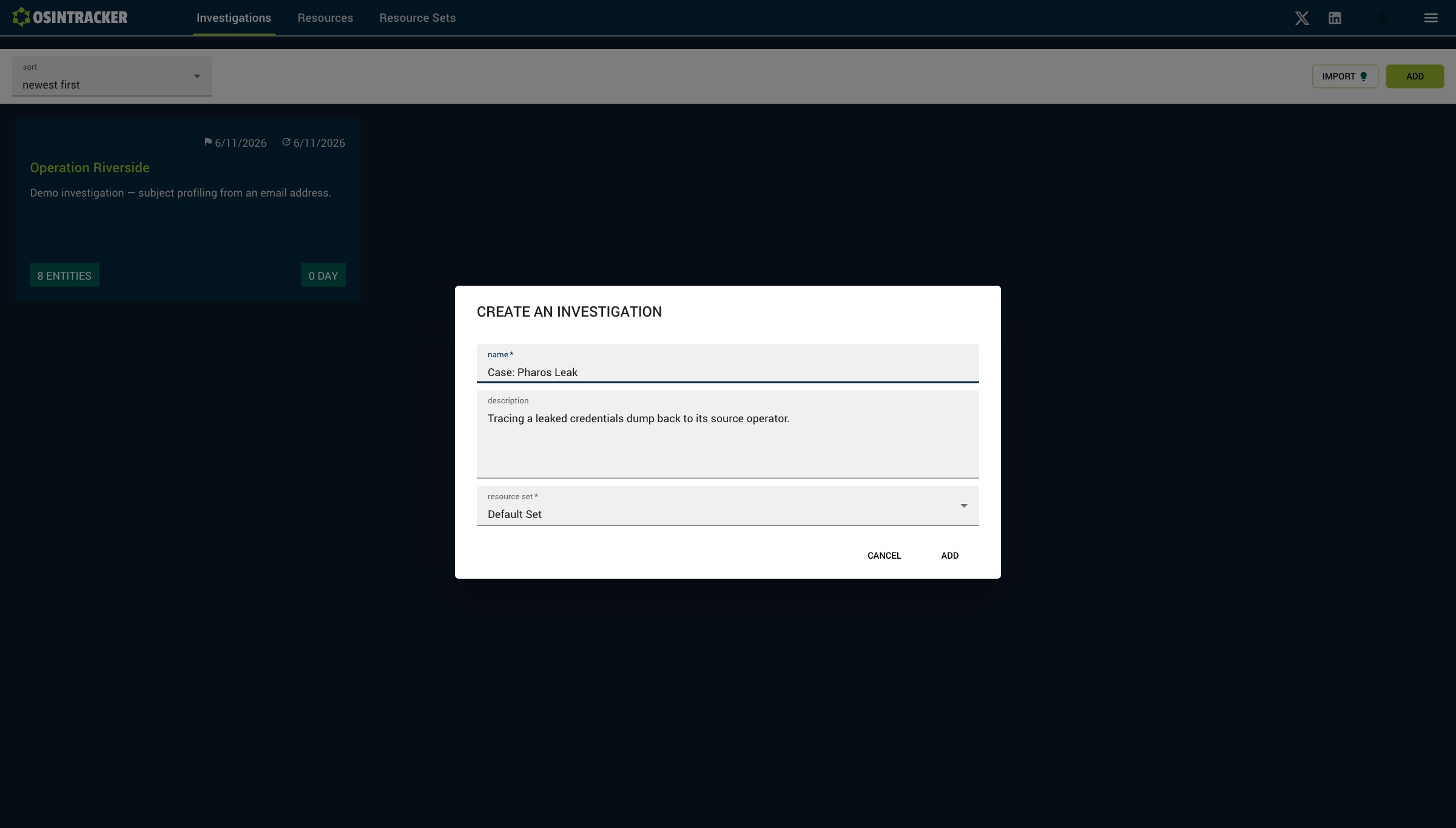
From the investigations list, click Add. Fill in:
- Name (required, 30 characters max): the title of your case
- Description (optional, 150 characters max): a short context
- Resource set (required): the default OSINT toolset associated with the investigation
Click Add to create the investigation. The creation date is recorded automatically.
Edit an investigation
From the information panel (the side panel shown when nothing is selected), you can edit the name, description and associated resource set.
Delete an investigation
Deletion is available from the investigation's information panel. It is permanent and irreversible — remember to export your investigation beforehand.
Duplicate an investigation
Duplication creates a complete copy: entities, relationships and node positions on the graph. Available from the investigation card's context menu.