

OSINT connectors
Connectors let you enrich your entities from results obtained on external OSINT services. You export the service's result as JSON, then load it into Osintracker: the connector converts it into entities and relationships directly in your investigation.
Osintracker makes no API calls and stores no API key. Enrichment is done by importing a JSON file exported from the service.
Available connectors
| Connector | Supported entity types | Data retrieved |
|---|---|---|
| Epieos | Email, phone | Linked accounts, social profiles, photos |
| OSINT Industries | Email, phone, username | Profiles, accounts, social data |
How to use a connector
- On the OSINT service (Epieos, OSINT Industries…), run your search and export the result as JSON
- In Osintracker, open an investigation and select a compatible entity
- In the detail panel, Connectors section, click the desired connector
- Load the JSON file exported from the service
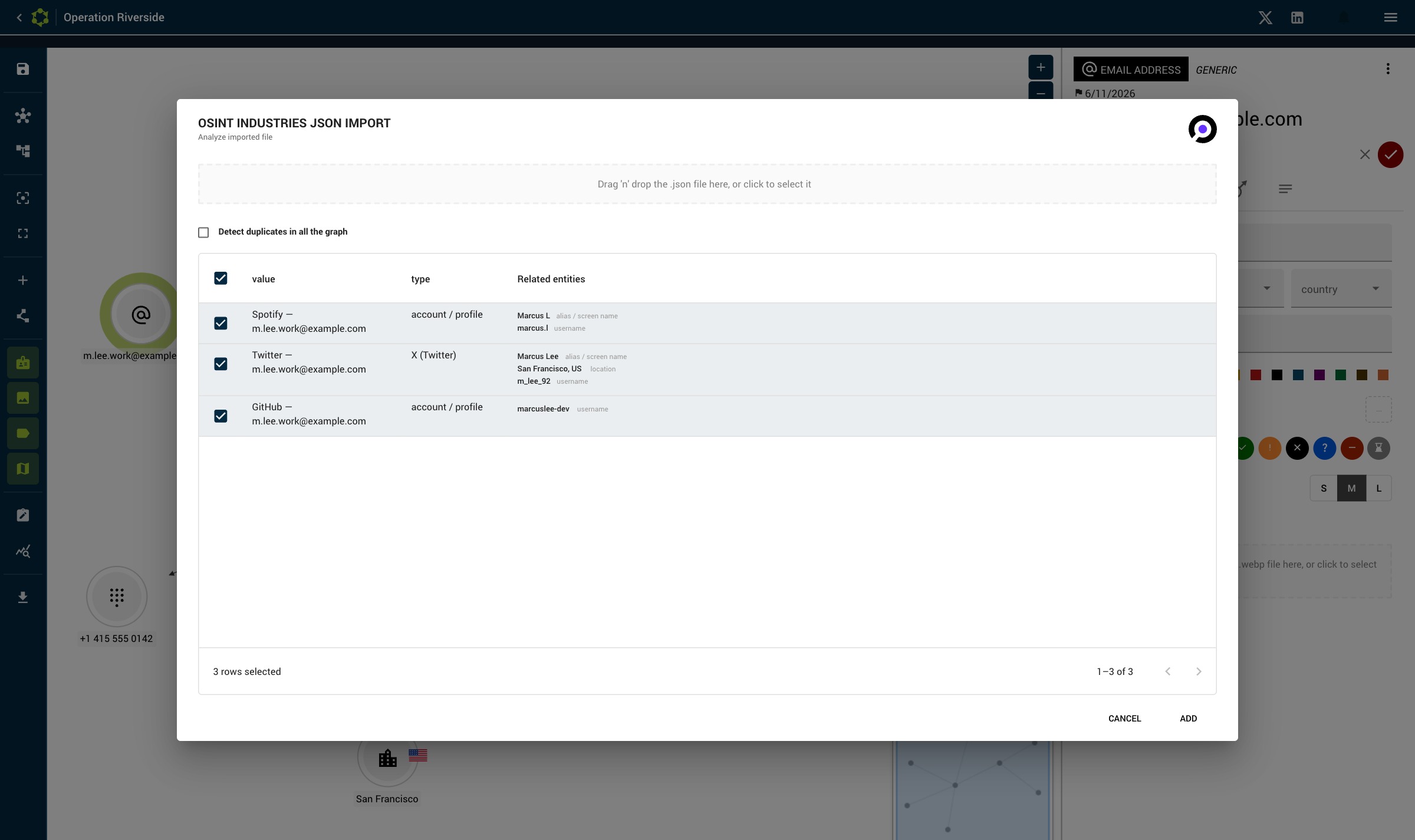
- The detected entities appear — choose what you want to import, then confirm
- The new entities are automatically arranged in a mesh around the base entity (instead of stacking at the same spot)
JSON import is also available directly by right-clicking an entity → "Osint Industries — JSON import" or "Epieos — JSON import".
Duplicate handling on import
During import, if identical entities already exist in the investigation, you can choose between:
- Merge: combine the data with the existing entity
- Create: create a new, separate entity
- Skip: don't import this element
No API key required
Connectors require no API key: enrichment relies entirely on importing the JSON file exported from the service. No configuration is needed in the settings.