

Relationships
A relationship is a link between two entities, with metadata: type, date, description, direction and visual attributes.
Create a relationship
Relationships are created from the current selection:
- Select one or more source entities (click,
Shift+click, or a selection box) - Hover a different (non-selected) entity — a relation symbol appears on it
- Click the symbol — the creation dialog opens
- Confirm — one relationship is created from each selected entity to the hovered one (a multi-selection links them all at once)
Relationship fields
| Field | Required | Description |
|---|---|---|
| Source entity | Yes | Starting node |
| Target entity | Yes | Ending node |
| Label | No | Label shown on the edge |
| Description | No | Contextual notes |
| Date | No | Date of the relationship |
| Direction | No | Unidirectional or bidirectional |
| Critical | No | Colors the relationship red |
| Rating | No | 0 to 3 (affects edge thickness) |
Representation on the graph
Each relationship is an edge whose:
- Direction is shown by an arrow (unidirectional or bidirectional)
- Color is customizable (red if critical)
- Thickness varies with the rating (0 = thin, 3 = thick)
- Label is shown at the center of the edge
- Curve is automatically adjusted when several relationships exist between the same two nodes
Control points (curves)
You can add control points to a relationship to curve it manually: Alt + click on an edge. Drag the control point to adjust the curve.
Relationship detail panel
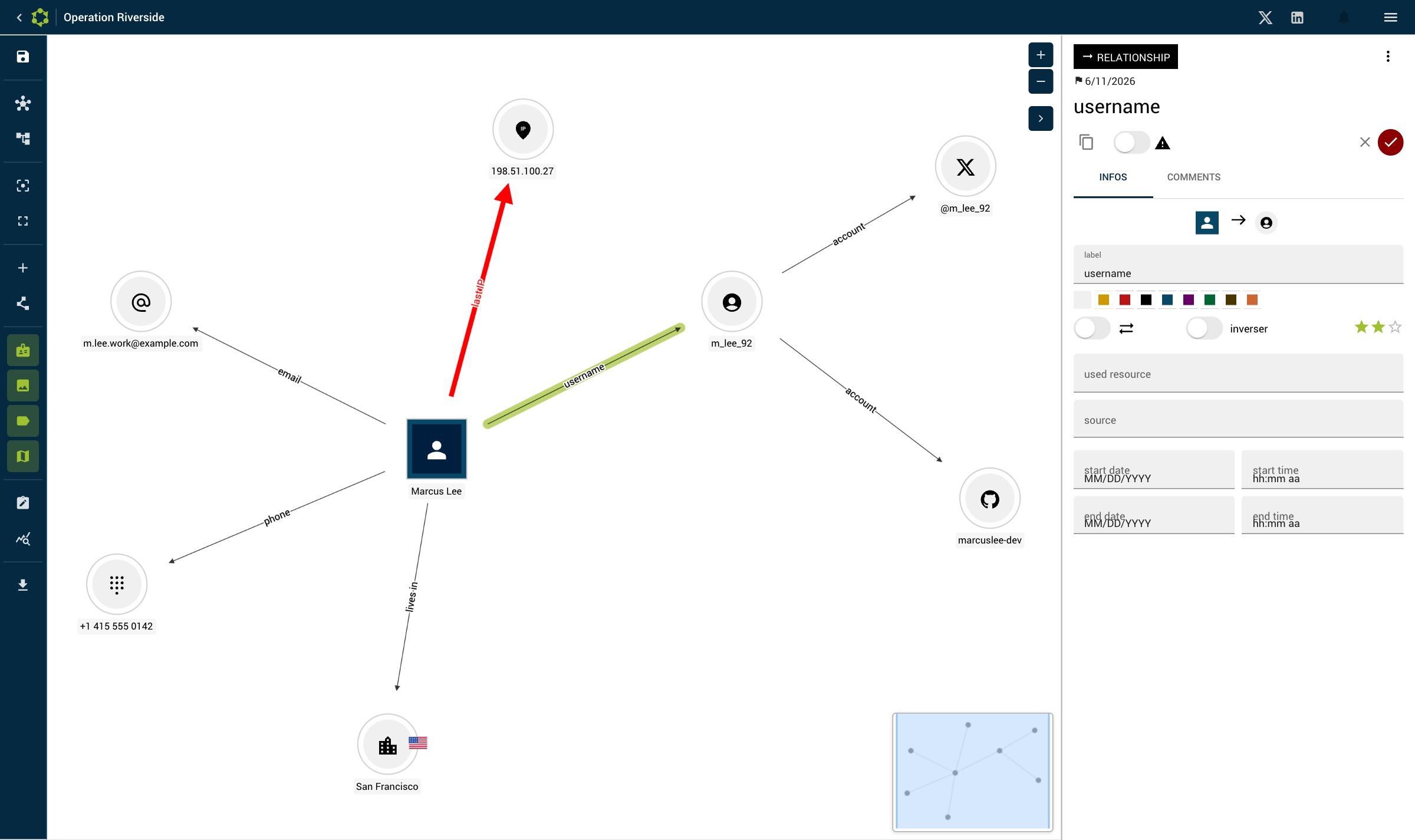
Click an edge to show its detail panel. Edit any field directly — changes are saved automatically (no Save button). Delete the relationship from the panel's menu.